
Early release. Free to download.
The gaming PC that starts in 24HG
Atrium is the operating system from 24HG, the Social Gaming Platform. Switch the computer on and your games, your servers, your friends and Vox are already on screen. A full desktop is one click away.
Two installers: a large one with everything on the stick, about 14 GB, and a small one, about 1.2 GB, that downloads about 6 GB more while it installs.
Today
What it does today
Everything in this section runs on our test machine now, except where a note says a test is still open. The pictures are from that machine, taken in October 2026, except where a caption says otherwise.
It starts in 24HG
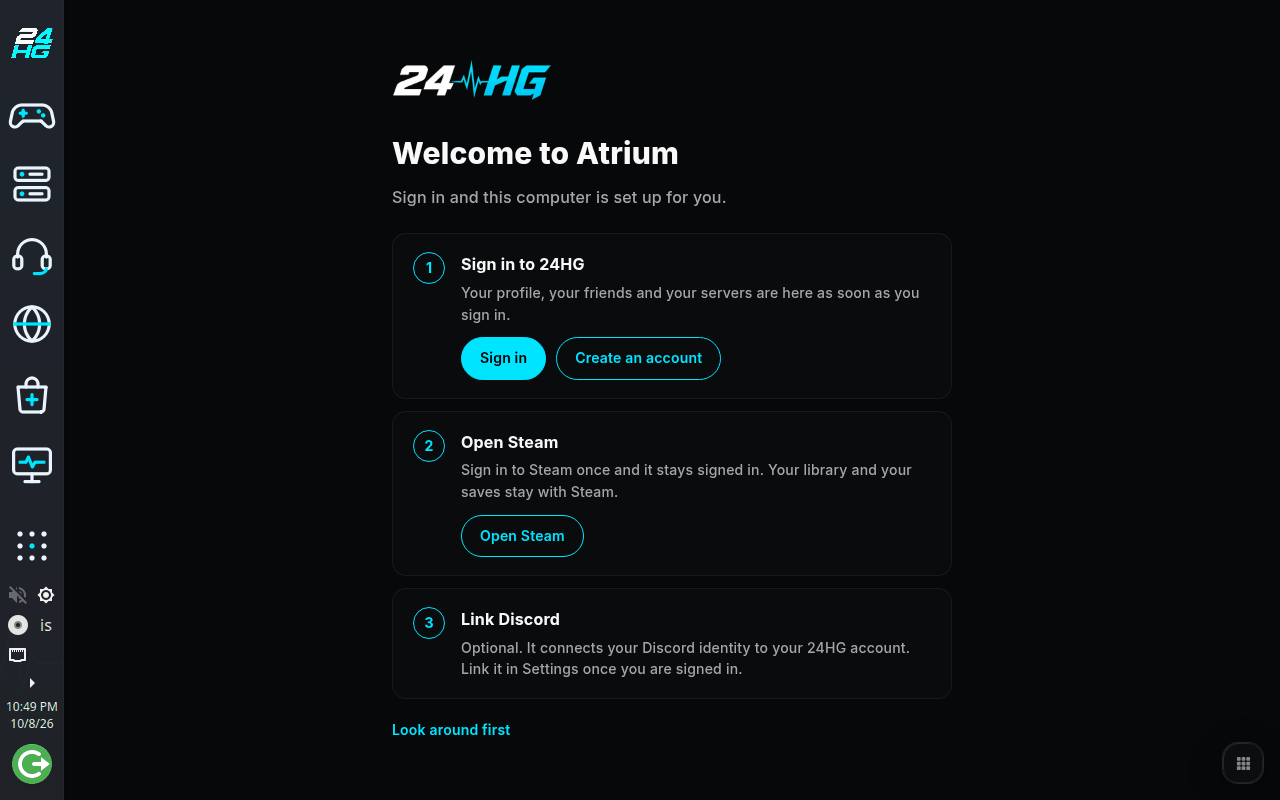
A sidebar stays on screen: Home, Games, Servers, Vox, Browser, App Store and Desktop. The first start takes you through three steps: sign in to 24HG, open Steam, and link Discord if you want to. The standard apps install themselves in the background while you look around.
Your Steam library, inside the Hub
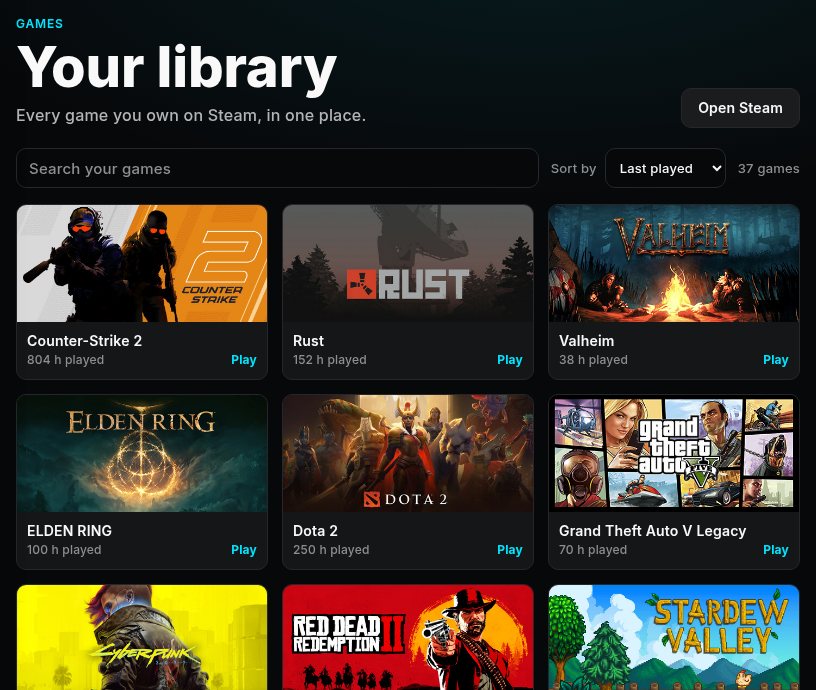
The Games button shows every game you own on Steam, with your hours and which ones are on this PC. Play starts the game through Steam, so your saves and achievements stay where they are.
Seen on a laptop with a signed-in account: the games owned, the hours and which one is installed. Play, Install and Uninstall have been pressed there too.
Our servers, always in reach
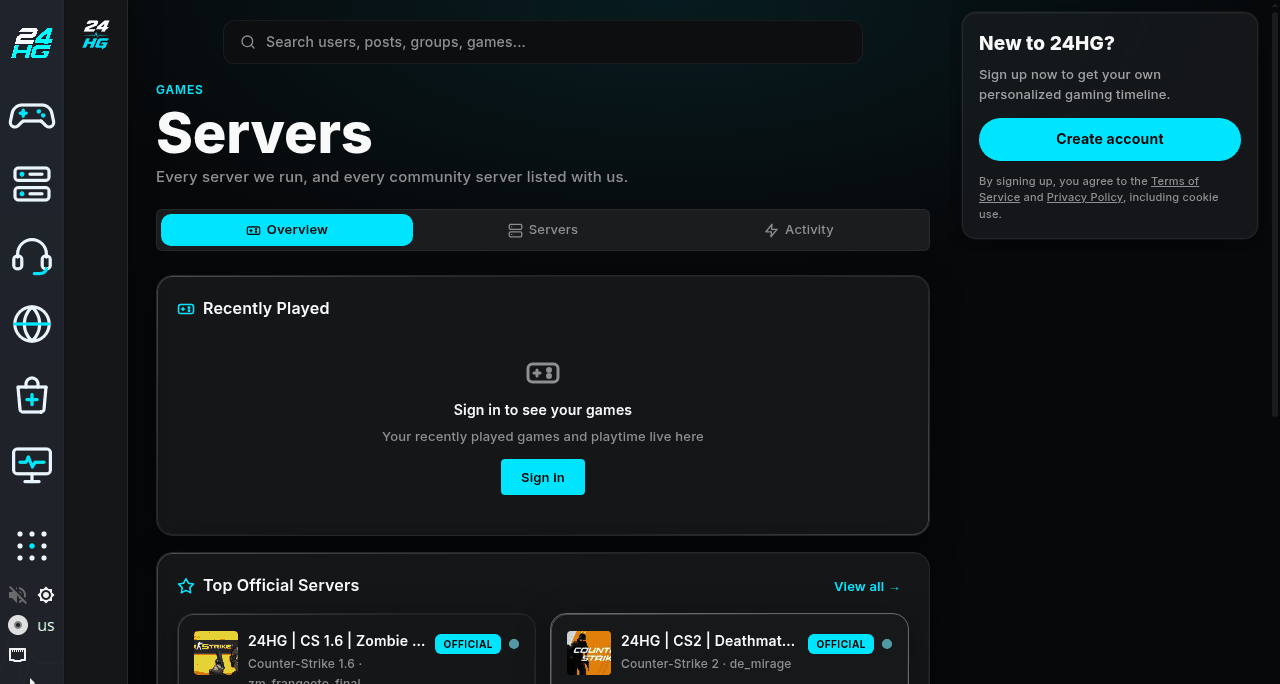
Every server we run and the community servers listed with us, each with the map it is on, behind one button in the sidebar.
Apps, like on any computer
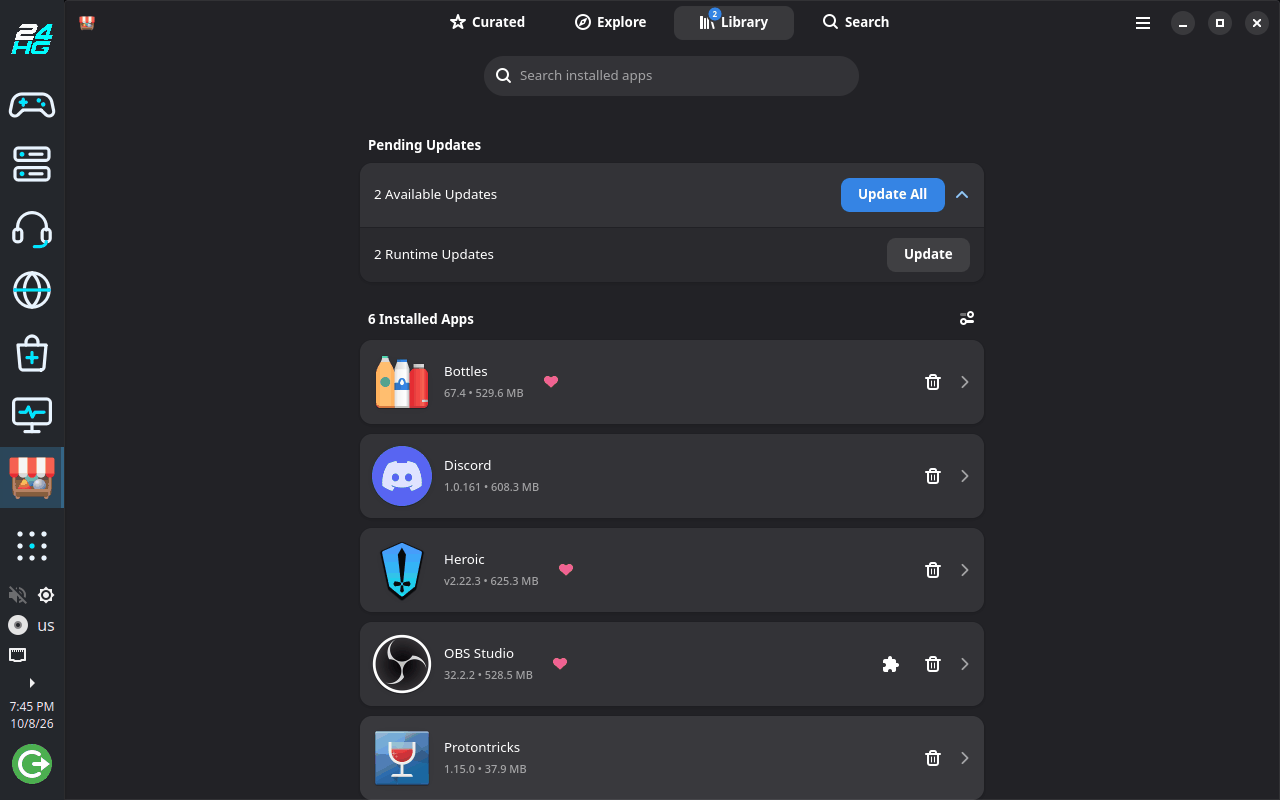
An app store for ordinary applications: chat, music, video, creative tools. The standard apps are already there after the first start. It is the store of the system Atrium is built on, with a page of our own picks under its tab "Curated".
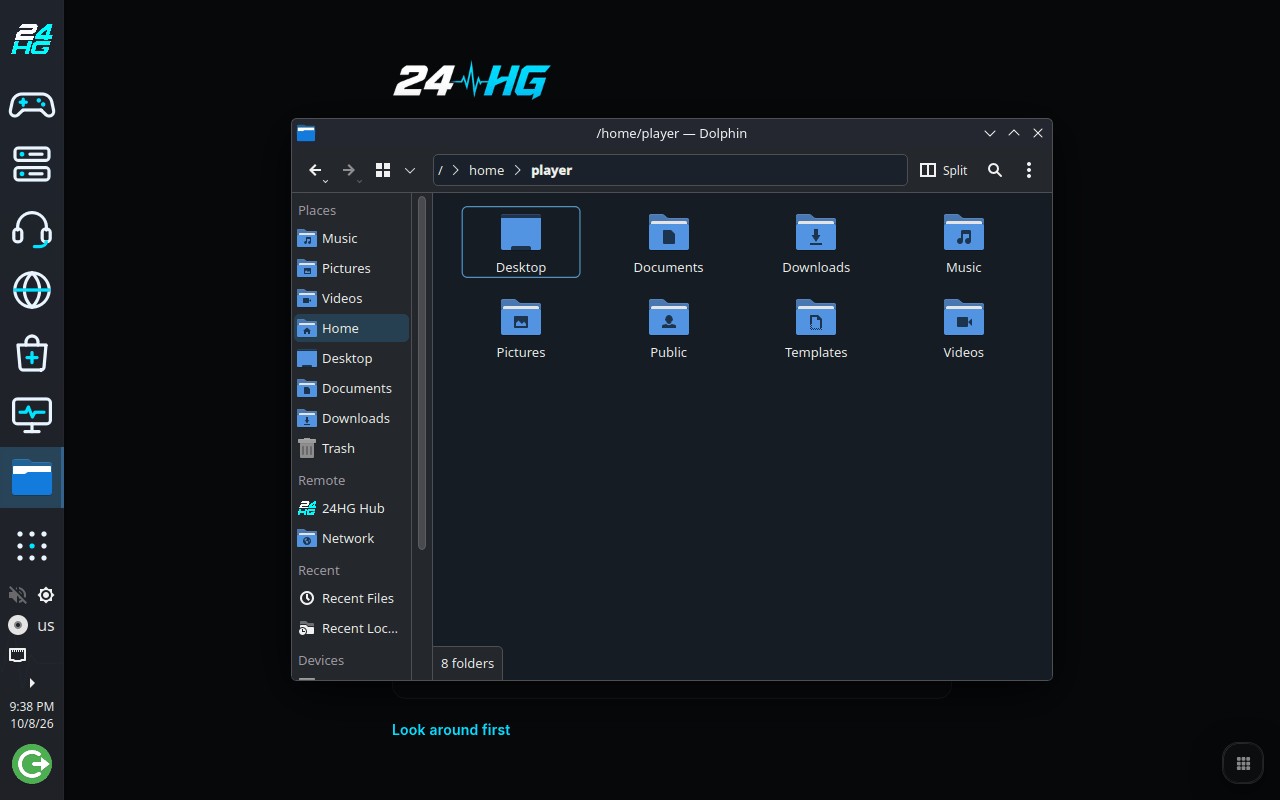
A normal desktop, one click away
Ordinary applications open in windows of their own, and the Desktop button shows a regular desktop for everything else a computer is for. Home brings 24HG back. Nothing closes in between, and Vox runs in its own window like any chat app. The keys worth knowing are on a page of their own.
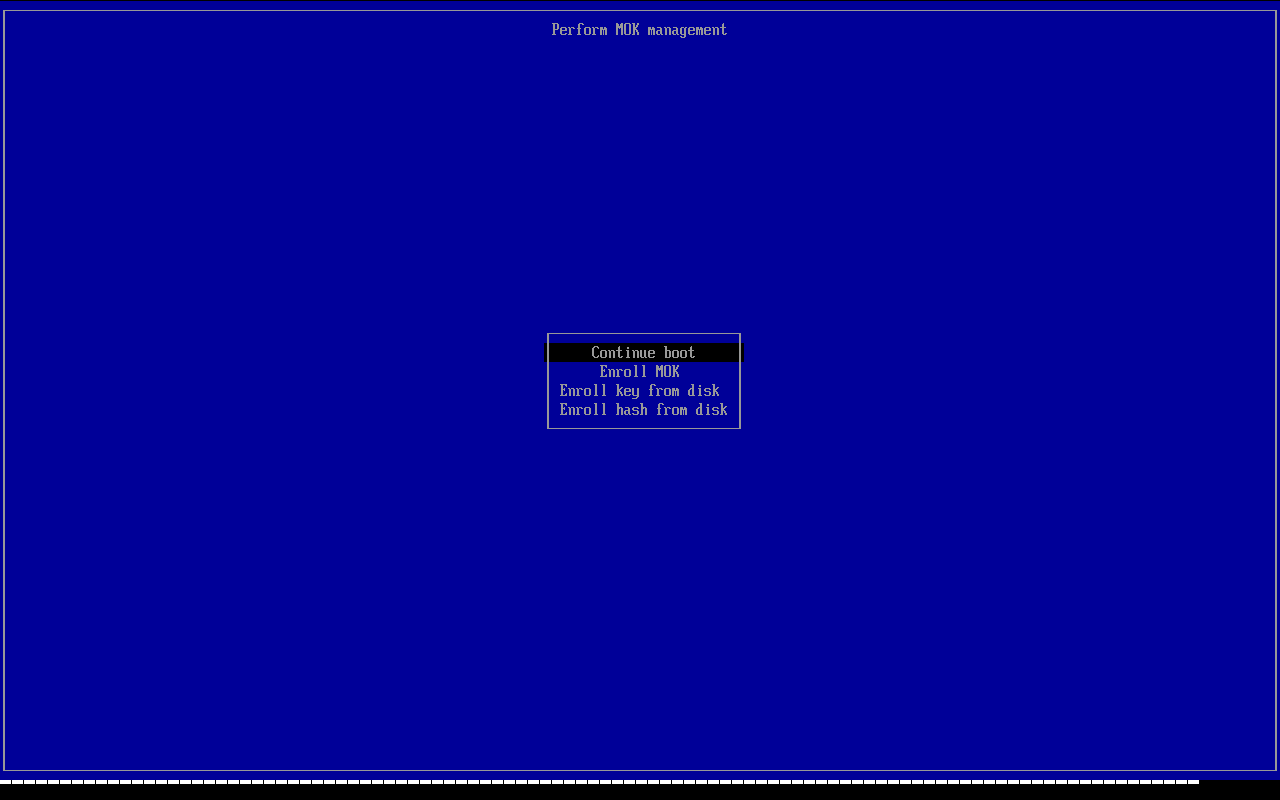
The installer chooses for you
Download one file and write it to a USB stick: the large installer with everything on it, or the small one that downloads the system while it installs. Either looks at the graphics card and chooses one of three systems, asks for your name and a password, and sets the PC up. If Secure Boot is on, a blue screen asks you once after installing to confirm a key.
Seen on virtual test machines, which have no NVIDIA card. We have not used either installer on a real PC ourselves yet.
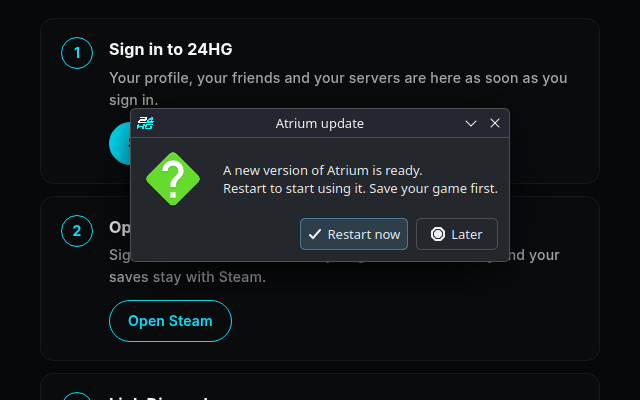
Updates that look after themselves
New versions arrive on their own, within about an hour after the PC starts, or during the night if it is left on, and take effect at the next restart. If you want to look now, Check for updates does that and offers the restart. Every update we publish is signed, and Atrium refuses one that is not.
How it is built
A system made for games, with 24HG on top
Built on Bazzite
Atrium is built on Bazzite, a Fedora-based system made for gaming. Games will run through Steam and Proton the way they do there.
Updates in one piece
An update replaces the whole system at once, and the version before it stays on the disk. The computer is not left half updated.
One account
Sign in to 24HG once. Steam keeps your library and your saves. Discord is optional.
Signed updates
Every update we publish is signed. Atrium checks the signature and refuses an update that is not ours.
It says what it sends
Privacy and reports, in the application list, says in plain words what Atrium sends, and holds the switch for the weekly count.
Secure Boot can stay on
Atrium starts with Secure Boot switched on, so you do not have to turn it off. If it is on, the PC asks you once after installing to confirm the key.
Where it stands
An early release
Atrium installs and runs on our virtual test machines, and it runs on one real laptop of ours. The installer is open to anyone who wants to try it early. How Atrium does on other PCs is what this release is for. Help us test.
Working today
- 24HG Mode with the sidebar
- The first start, with apps installing in the background
- Servers in the Hub
- Your Steam library in the Hub: Play, Install and Uninstall, tried on a real laptop
- Installing onto a USB drive in place of the PC's own disk, tried on a virtual test machine
- The app store and the switch to the desktop
- Updates by themselves, and Check for updates
- Signed updates: Atrium refuses one that is not ours
- One installer that chooses between three systems by the graphics card
- A small installer for small USB sticks: it downloads the system while it installs
- Two Minecraft launchers among the standard apps: Prism Launcher, and Mojang's in a Flathub community package
- Privacy and reports: what Atrium sends, in plain words
- Send feedback: write to us from the PC, and see what is attached before you send
Not there yet
- Tests on more real PCs. So far it runs on virtual test machines and on one laptop with Intel graphics.
- NVIDIA graphics cards: the installer chooses a system for them, and we have seen neither that choice nor those systems on a real NVIDIA card
- The app store does not open on our picks: it opens on Flathub's page, and ours are under the tab "Curated".
If something does not work on your computer, use Send feedback in the application list (from build 20261010f on), or tell us on the Discord. We read both.
Where we want to take it
What Atrium should become
These are things we want to build. None of them comes with a date. Where a part of one exists already, its card says so.
Playing together
On the 24HG site, and so in the Hub, a friend who has linked Steam and is in a game that can be joined has a Join button, and a signed-in member can start a party: ask friends in, and one press hands everyone the way into the same game. The game starts by itself only for a member who switched that on. On 14 October the party card was seen in the Hub on a real laptop, signed in; nothing on it was pressed. Not yet seen: a party started or a Join button inside the Hub, and two real members in one party.
Clips to Highlights
Save the last moments of a game with one key on Atrium, and send the clip to 24HG Highlights, where your friends can see it.
The platform on your home screen
On the 24HG site, and so in the Hub, a signed-in member has beside the home feed today: the next Rust wipes (and the next tournament when there is one), their S-Coins, the daily reward and their challenges.
Hosting from your PC
Run a game server from a tile and list it with us, or start a NovaStack server for your party from inside the system.
Fair play and ranked
Our Fair Play protection built in, and a ranked mode that queues, starts the server and launches the game.
More kinds of machines
Handhelds, older PCs, and a USB stick to try Atrium without installing it.
Events and venues
A mode for LAN events and gaming rooms whose games run on Atrium: the staff run the PCs from one page, give or take time, and every guest finds a clean PC. Parked for now. General internet cafes are not planned, because many of the games they live on refuse to run on Linux, by their publishers' choice.
Follow it as it gets built
Join the Discord to follow along and ask questions, or create a 24HG account now so it is ready when you install Atrium.